General workspace report
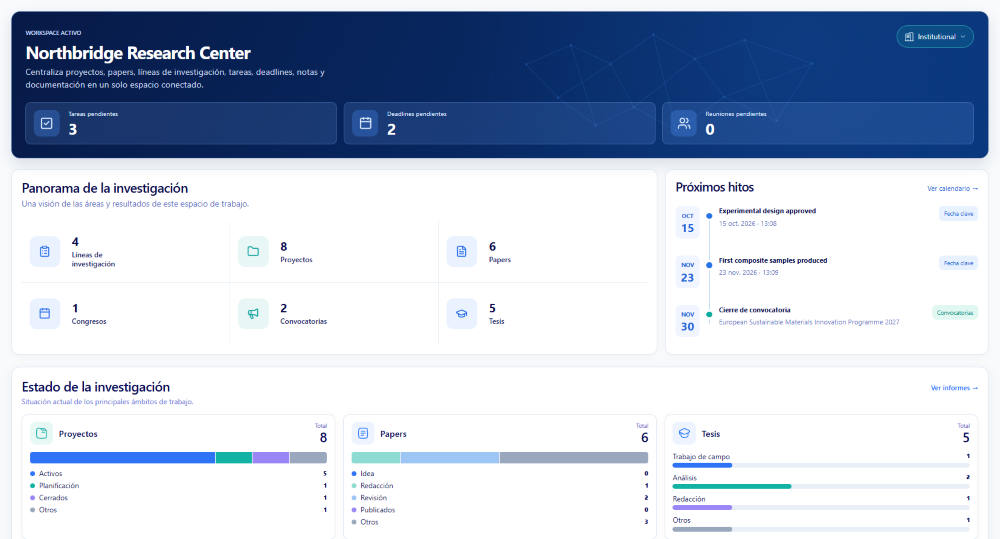
Get an overview of the team, research lines, projects, theses, publications, conferences and funding calls. Includes a summary of tasks, deadlines and documentation.
Explore all featuresTurn the information recorded in KaiperKit into a PDF report for your workspace, a research line, a project or a thesis. Bring together the team, scientific connections and an activity summary to prepare your next review.
Four report types · Downloadable PDF · English and Spanish
Select the report you need. Each template organises information around the scope you want to review.
Get an overview of the team, research lines, projects, theses, publications, conferences and funding calls. Includes a summary of tasks, deadlines and documentation.
Explore all featuresBring together the research line details, its members and related projects, theses, publications, conferences and funding calls, alongside an activity summary.
Research line managementReview the project details, status and dates, team and related research. Includes summaries of tasks, deadlines and documentation.
Project managementPrepare doctoral follow-up with the thesis details, status and current stage, assigned people, scientific connections and an activity summary.
Thesis managementSections and detail vary by report type. Content comes from the information and connections recorded in KaiperKit.
Identify the workspace or research activity. Depending on the report, review its description, status, dates and, for a thesis, its current stage.
Review the people included in the report scope and their scientific roles to prepare follow-up with a shared reference.
Review related research and its recorded connections. The general report provides an overview; specific reports focus on the selected entity.
Review counts of pending, in-progress and completed tasks to understand the state of the work recorded in the platform.
Review the number of pending, completed or missed deadlines and, where applicable, cancelled deadlines.
Review the document count within the report scope as a reference to the resources registered in the platform.
The reports screen brings together options to choose the scope, select the language and download the document.
Select a general report or a research line, project or thesis from the workspace.
Report scopeSelect the language for the report you want to download. The screen lets you choose a language for each PDF type.
Document languageDownload the report and use it as a reference to share the recorded state of your research.
Follow-up documentThe PDF brings together information already organised in KaiperKit. It provides a shared reference for reviewing the work and sharing it outside the workspace.
Before generating the report, review research statuses, assigned people and connections. A useful report starts with up-to-date working information.
Use the general report to prepare a review of the workspace and the research it brings together.
Bring the report for the research line or project under review to the meeting, with its team and activity.
Review a thesis’s recorded stage, connections and activity summary when preparing its follow-up.
Choose the report scope and download a reference to the recorded information.
The reports screen offers four PDF types: a general workspace report, a research line report, a project report and a thesis report. For specific reports, select the entity you want to review.
Reports are downloaded as PDF documents in portrait A4 format. You can save and share them as a reference for research follow-up.
Yes. You can select English or Spanish before downloading any of the four report types.
It includes thesis details, status and current stage, dates where recorded, the team, scientific connections and summaries of tasks, deadlines and documentation.
The templates include task and deadline counts by status and the number of recorded documents. These summaries help you review activity within the selected scope.
Yes. The screen lets you select the entity for specific reports. Each type uses its own template, with sections prepared for that scope.
Organise your research in KaiperKit and turn its context and activity into a reference for your team.