Define what you will review
Record the date, participants and agenda items. Link the meeting to the research you will discuss.
Agenda and participantsPrepare each meeting, record what was discussed and keep decisions alongside the research. Bring participants, agendas and follow-up tasks together so your team can continue the work after the meeting.
Projects, research lines, publications, theses, conferences and funding calls in context.
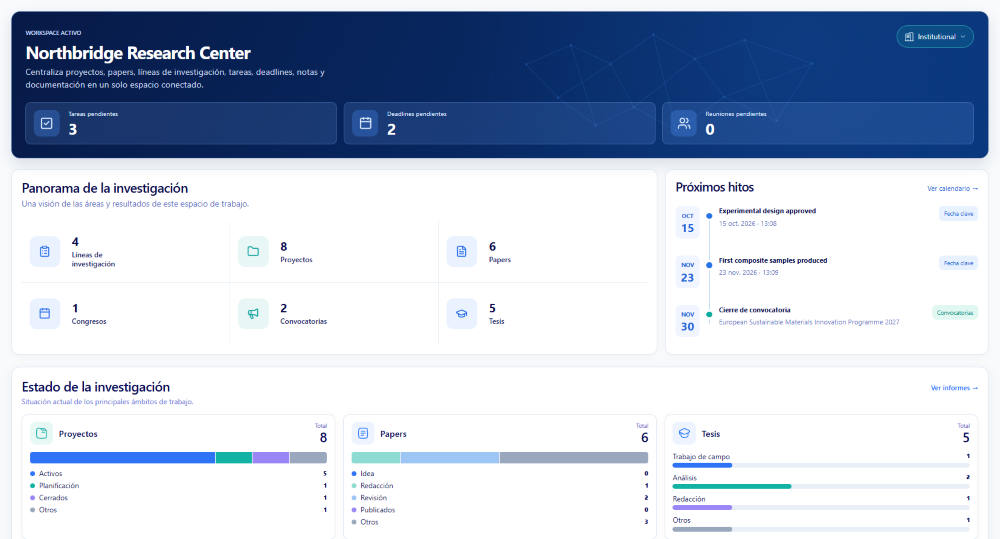
Organise the session and keep the information your team needs to continue the work with a shared reference.
Record the date, participants and agenda items. Link the meeting to the research you will discuss.
Agenda and participantsAdd discussion points and team decisions. Keep agreements alongside the meeting where they were made.
Discussion and decisionsCreate tasks linked to the meeting and review pending actions before your next progress meeting.
Related tasksReview the session details before you meet and keep them updated as the work progresses.
Set the meeting date and record its planned duration to prepare the session.
Assign the members taking part in the meeting and see who is involved in the follow-up.
Save the session location or the link to the tool your team uses for remote meetings.
Distinguish scheduled, in-progress, completed and cancelled meetings to see where each session stands.
A meeting can be linked to several research activities. Find its agenda, decisions and actions without piecing the context together from scattered messages.
Discussion points, decisions and tasks each have their place in the meeting's follow-up.
Illustrative example of follow-up for a research project.
Record what the team agreed during the project review. You can refer to the decision when preparing the next session.
Research note managementCreate a task linked to the meeting and assign the people responsible for the next step.
Task and deadline managementPrepare the session and find its agreements within the scientific context.
You can record the title, description, date and time, planned duration, location or meeting link, and status. You can also assign participants, prepare the agenda and add discussion points, decisions and related tasks.
Yes. A meeting can be linked to research lines, projects, publications, theses, conferences and funding calls. You can select several contexts to bring together the follow-up of the work you will review.
Yes. You can create tasks linked to the meeting to follow up on the actions your team needs to complete. Recording a decision and creating a task are separate actions; decisions do not generate tasks automatically.
Yes. You can link the meeting to a thesis, assign the members taking part and keep the agenda, discussion points, decisions and follow-up tasks together.
You can save the link to your team's video meeting tool. Agendas, discussion points and decisions are recorded manually in KaiperKit; this feature does not provide video calls or automatic transcription.
A meeting brings together a session with a date, participants, agenda, discussion points, decisions and related tasks. A research note keeps independent content, such as an idea, observation or methodological explanation. You can use either feature according to what you need to record.
Organise meetings and follow up on their tasks alongside each research activity. Get started with the free plan.